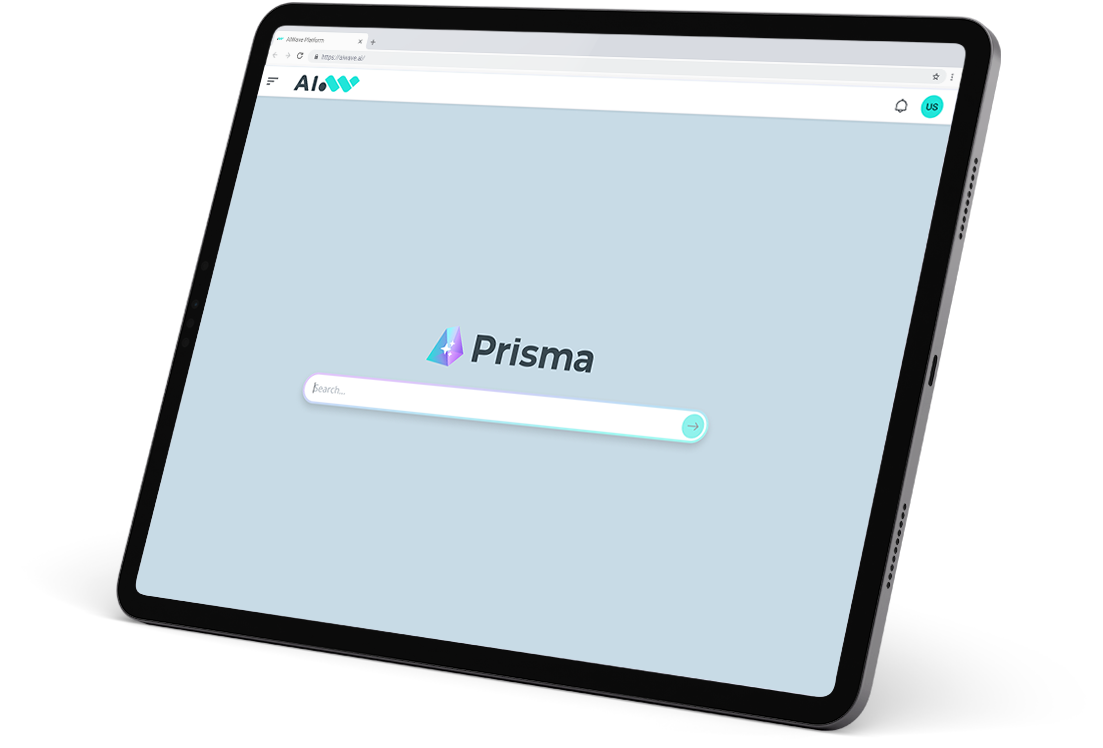
AIWavePrisma
Turning organizations' content into precise and verifiable answers
A search system with conversational capabilities, designed to unlock the full potential of enterprise knowledge bases. It combines the precision of document search with AI capabilities to enable users to find relevant content, select the most appropriate sources, and interact through natural language.
From information overload to precise knowledge discovery
In complex organizations, enterprise knowledge bases grow rapidly, often containing duplicated documents, parallel versions, and inconsistent categorization. This makes it difficult to identify reliable sources, increasing errors and leading to decisions based on outdated information. Traditional approaches struggle with this complexity, limiting the ability to explore and validate information across evolving document landscapes.
Prisma addresses these challenges by enabling a more structured and controlled interaction with enterprise content, helping users focus on relevant sources and refine their understanding with greater accuracy and confidence.
Features
Prisma is a versatile tool capable of effortlessly incorporating multimodal data from multiple sources, empowering users to explore data effectively.
Smart Search
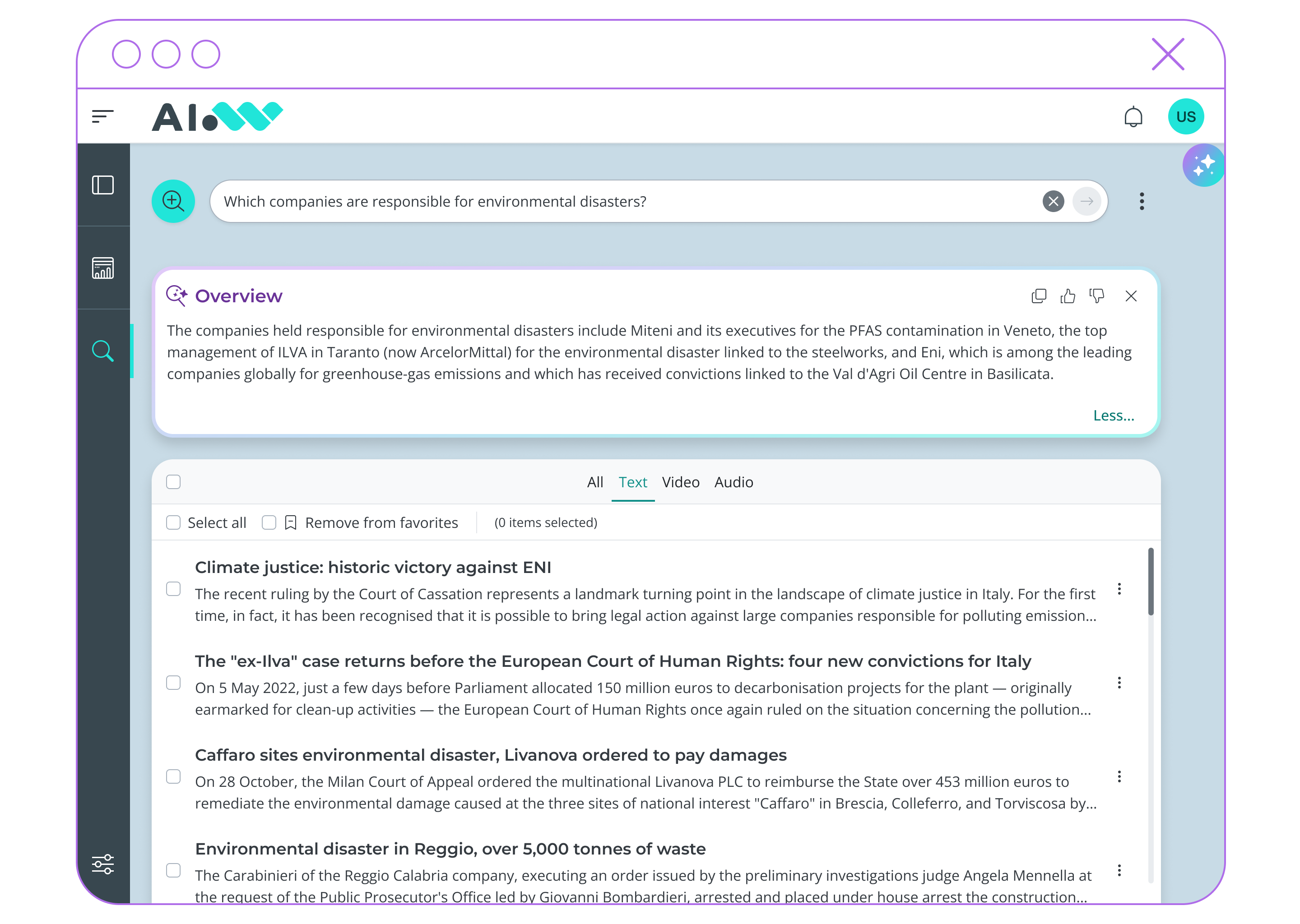
It automatically distinguishes between searches and questions, returning, respectively, document results or a concise answer.
1
Multimedial Results
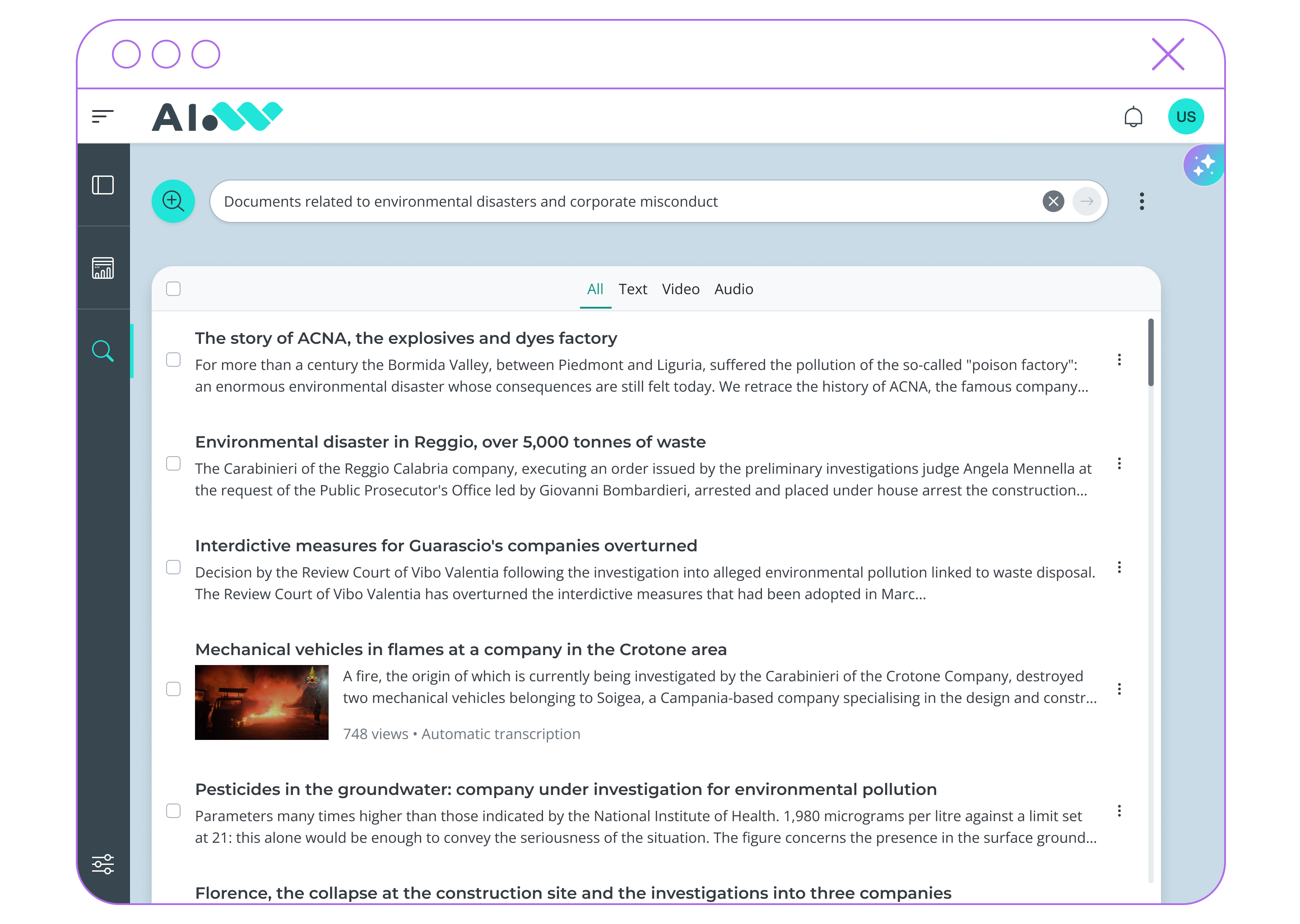
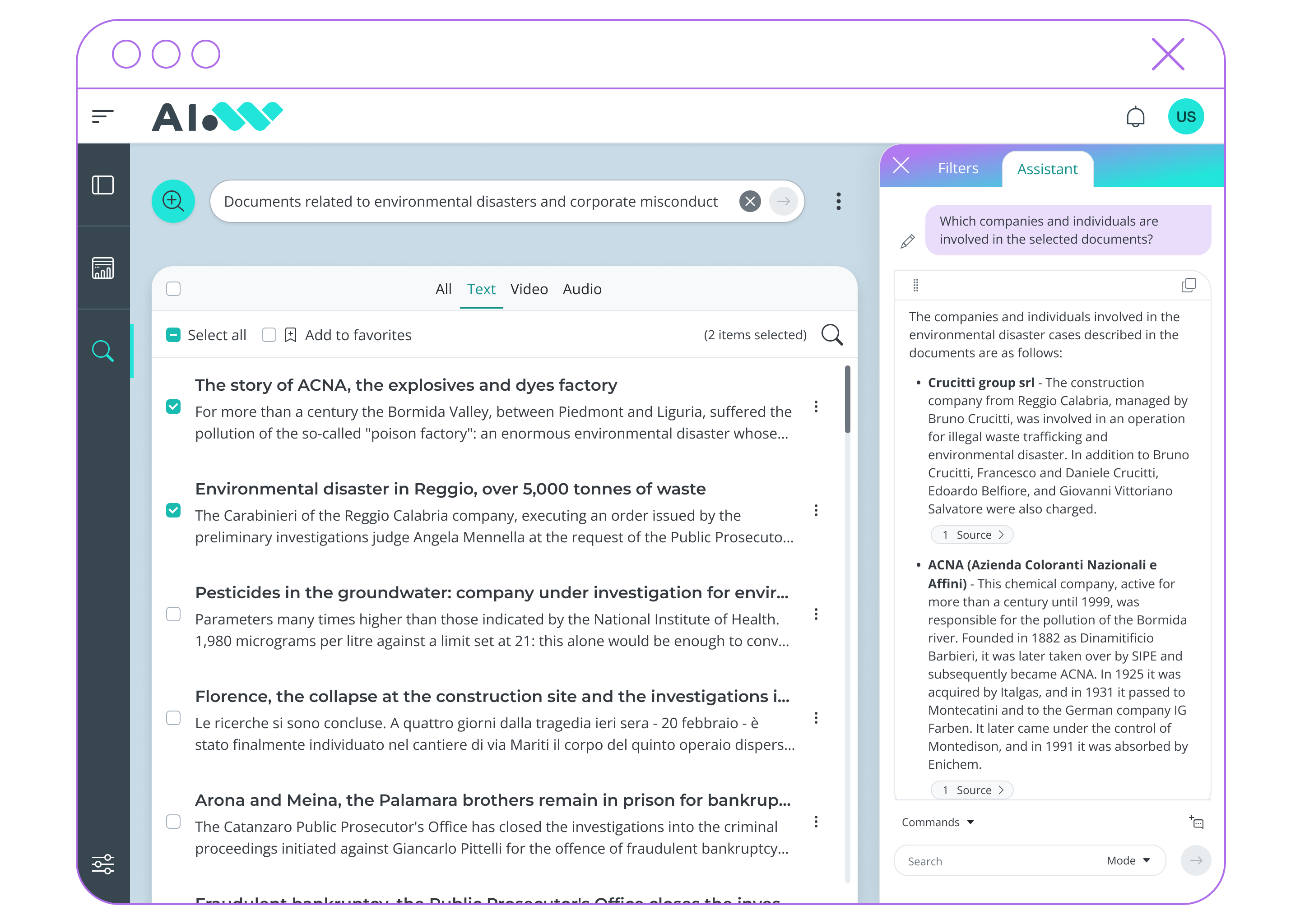
Relevant texts, audio, and video content are accessible within a single interface and can be filtered by format.
2
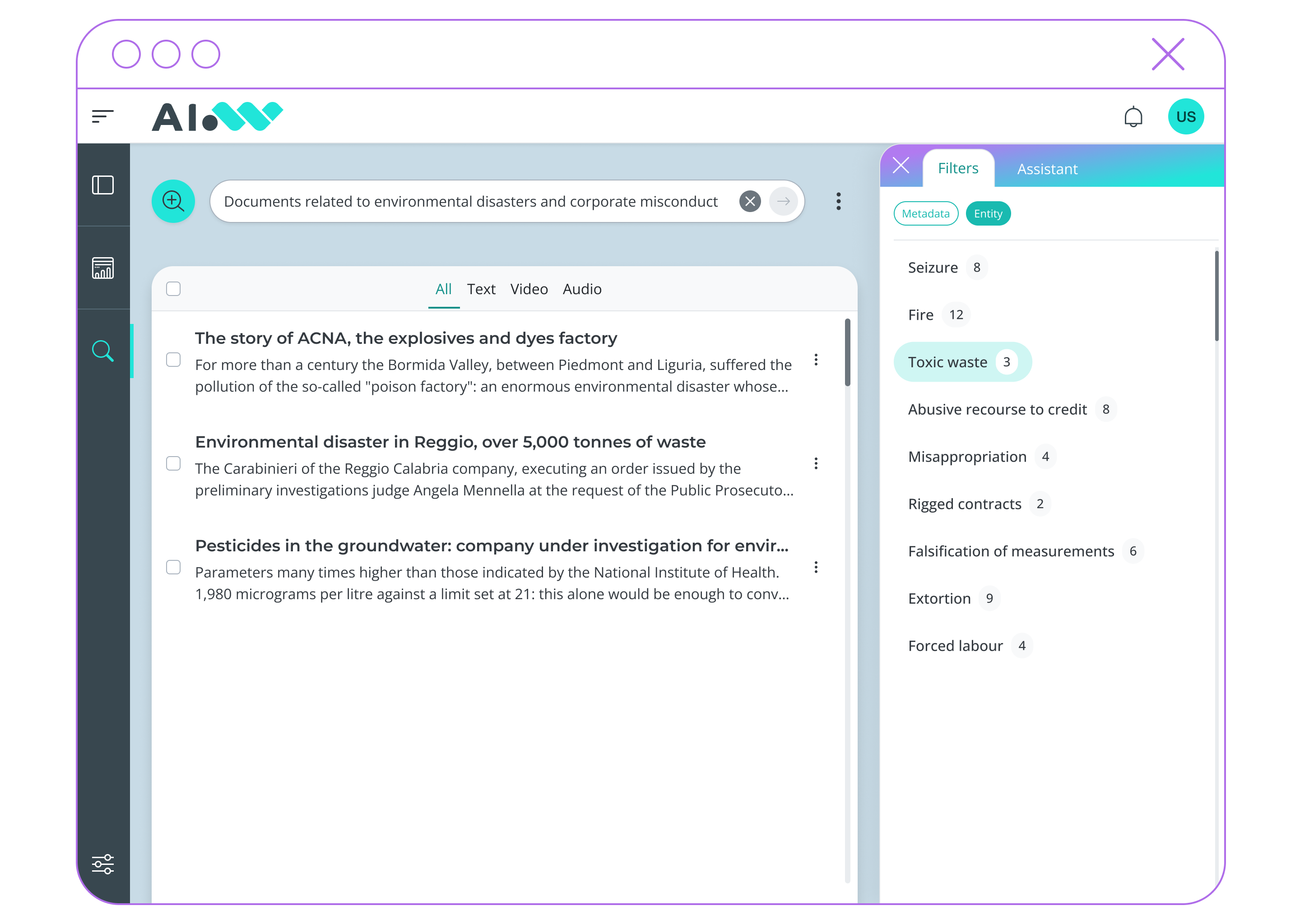
Intelligent Filters
AI models make it possible to filter results using metadata, cited entities, and concepts automatically extracted from the retrieved documents.
3
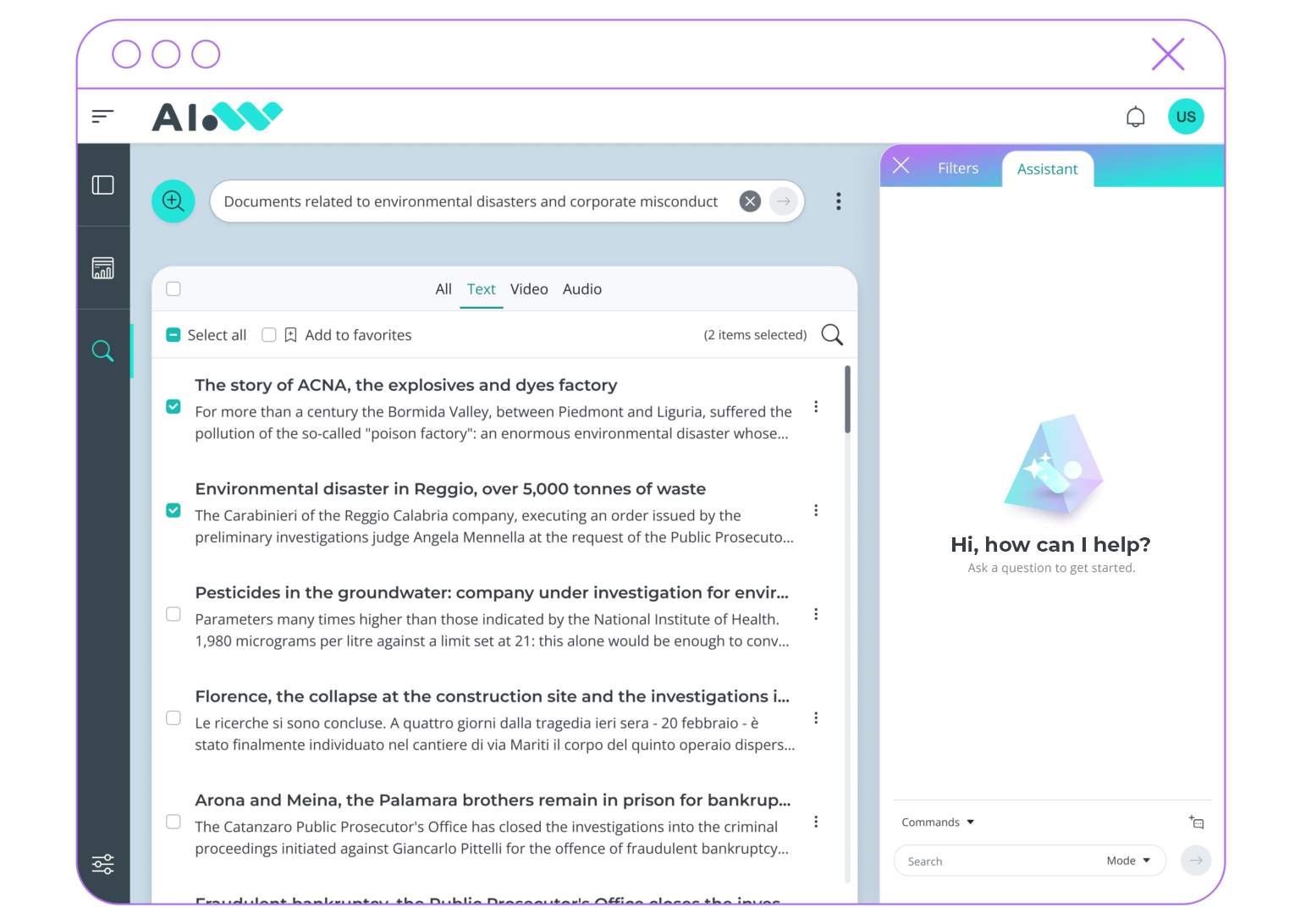
Full Control over Sources
Users can precisely select the sources on which to base the conversation, ensuring alignment with the correct references.
4
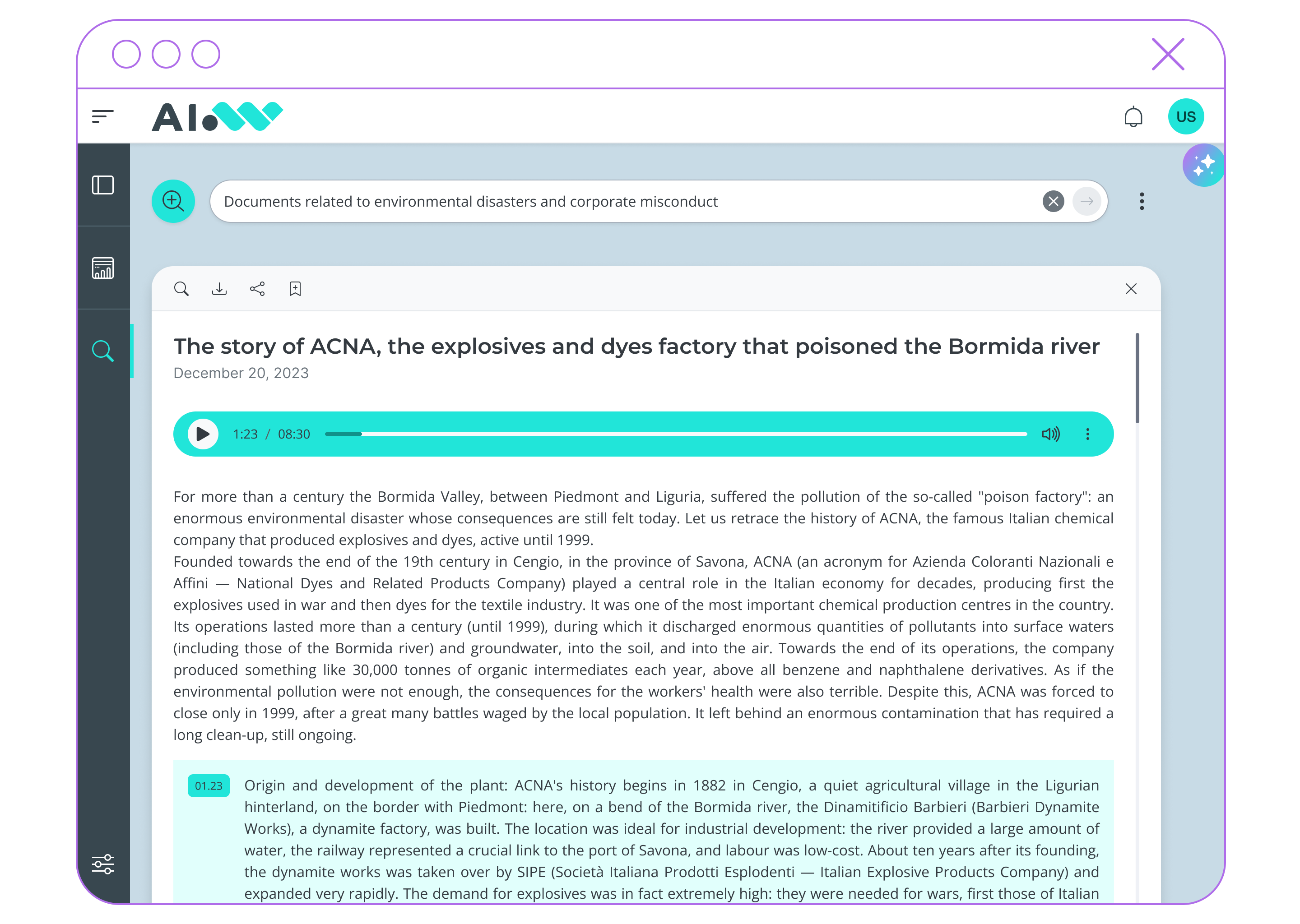
Deep Dive on Single Documents
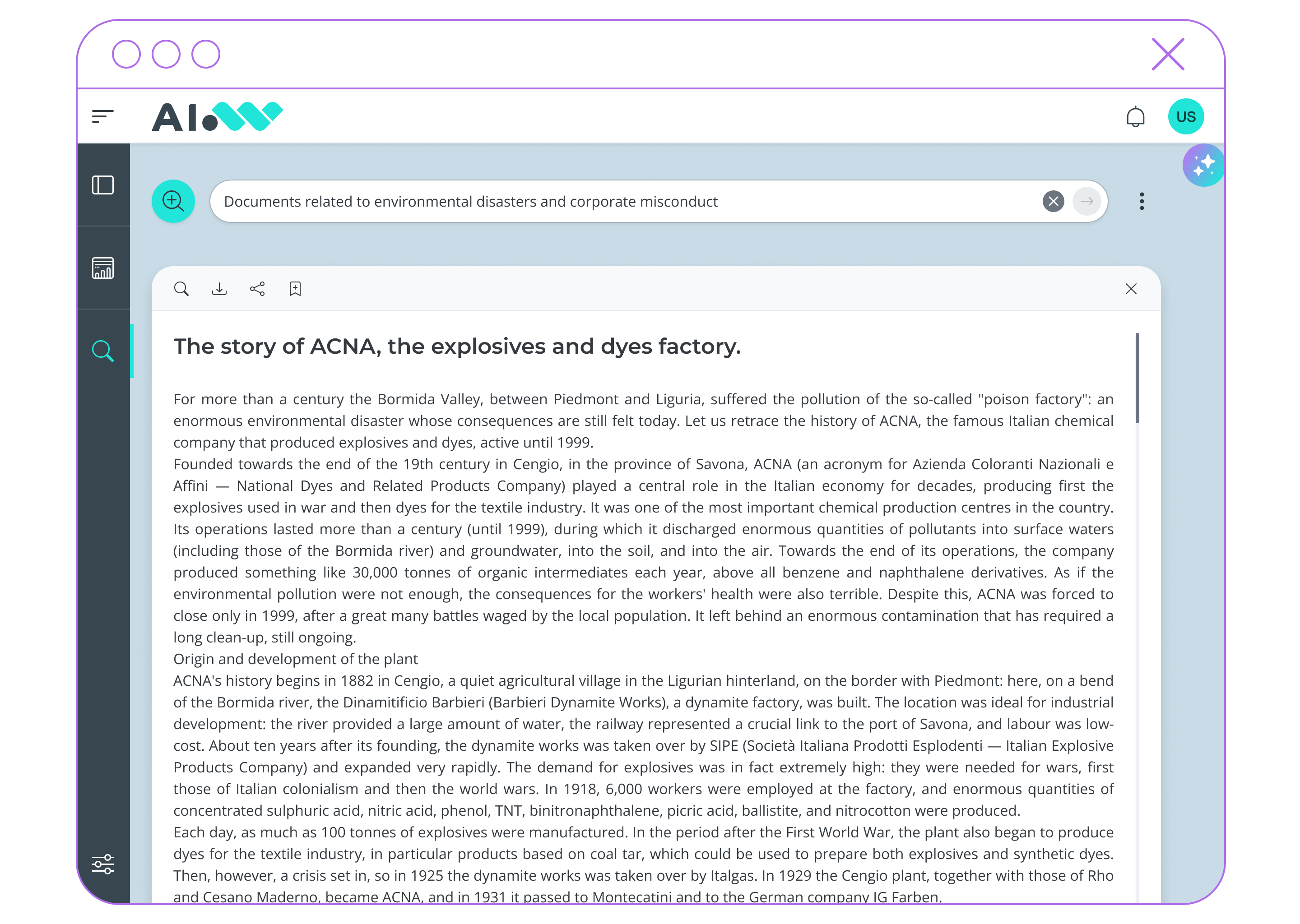
Each document opens in a dedicated interface, with the ability to ask questions about the individual content.
5
History and Bookmarks
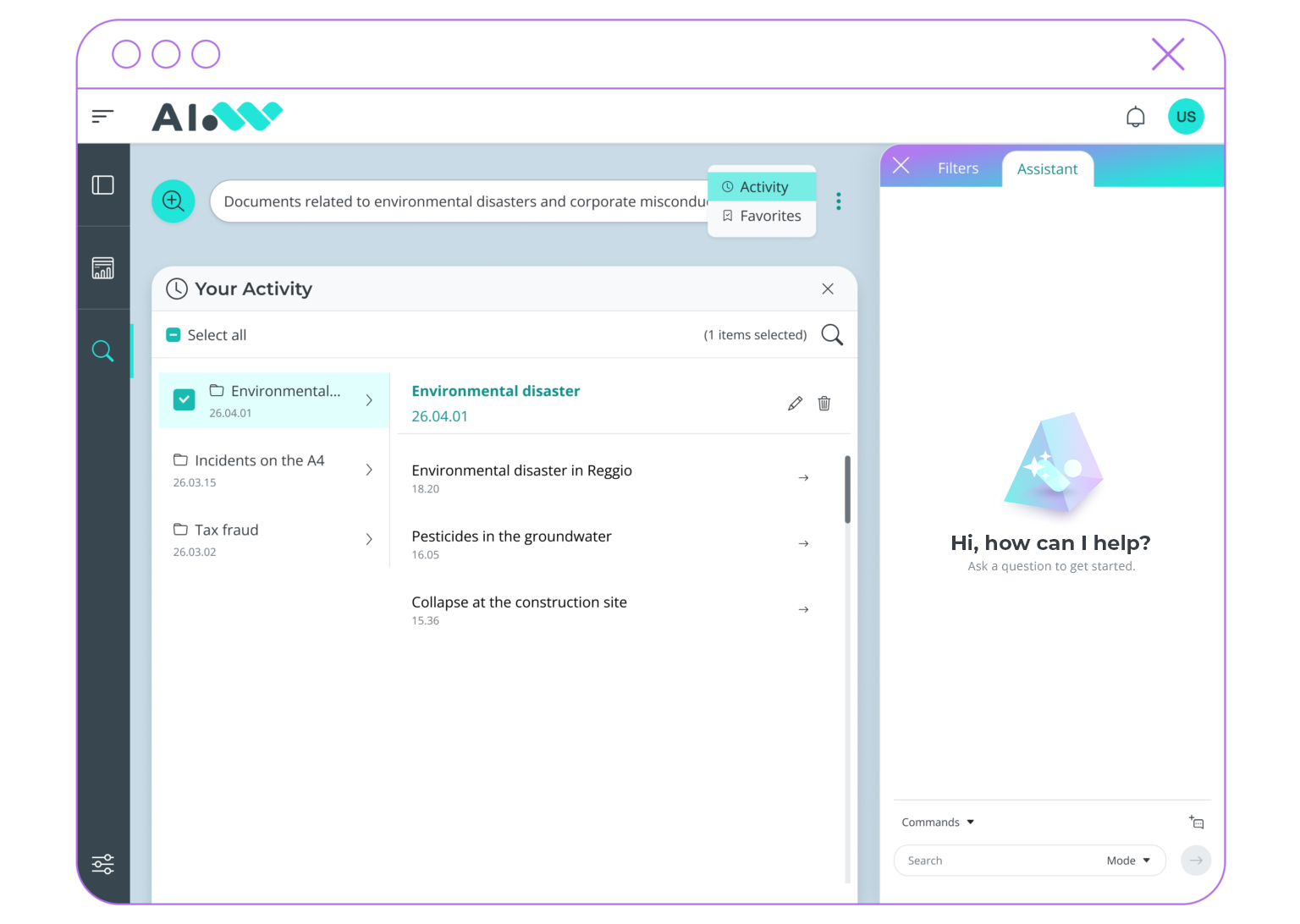
Past searches and saved favorite documents allow preservation and reuse of an already built discovery context.
6
Benefits
Discover how Generative AI can disrupt all your current business processes, streamlining workflows and improving output quality.
Operational
Speed
Rapid identification of the most relevant information within large document collections.
Better
Accuracy
External Sources
Integration
Reduced Risk
Minimize errors caused by outdated or inconsistent document versions.
User Control
Maintain full authority over sources shaping insights and final outputs.
Use Cases
Technical
Documentation
Processes historical technical documentation, release notes, and design specifications to track product evolution over time. Users query when features were introduced, how capabilities changed, and which versions addressed specific requirements.
Operators
Support
Analyzes incoming requests against regulatory frameworks, internal guidelines, and decision precedents to identify applicable rules and similar past cases. The system returns verified guidance with source attribution, enabling operators to respond with confidence and consistency regardless of case complexity.
Multimedia
Archive
Indexes and makes searchable transcripts, recordings, and documents from board meetings, committee sessions, interviews, press releases, and news coverage. Users locate when and where statements were made, decisions were announced, or positions were taken.

Prisma & AIWave Studio
Through AIWave Studio, the no-code and low-code environment for configuring AI applications, organizations can design and customize Prisma instances by integrating information sources, AI agents, and business processes.
Getting Started
A step-by-step guide to illustrate how you can easily access all your organization's knowledge through conversational capabilities powered by Generative AI.
1
Search in natural language
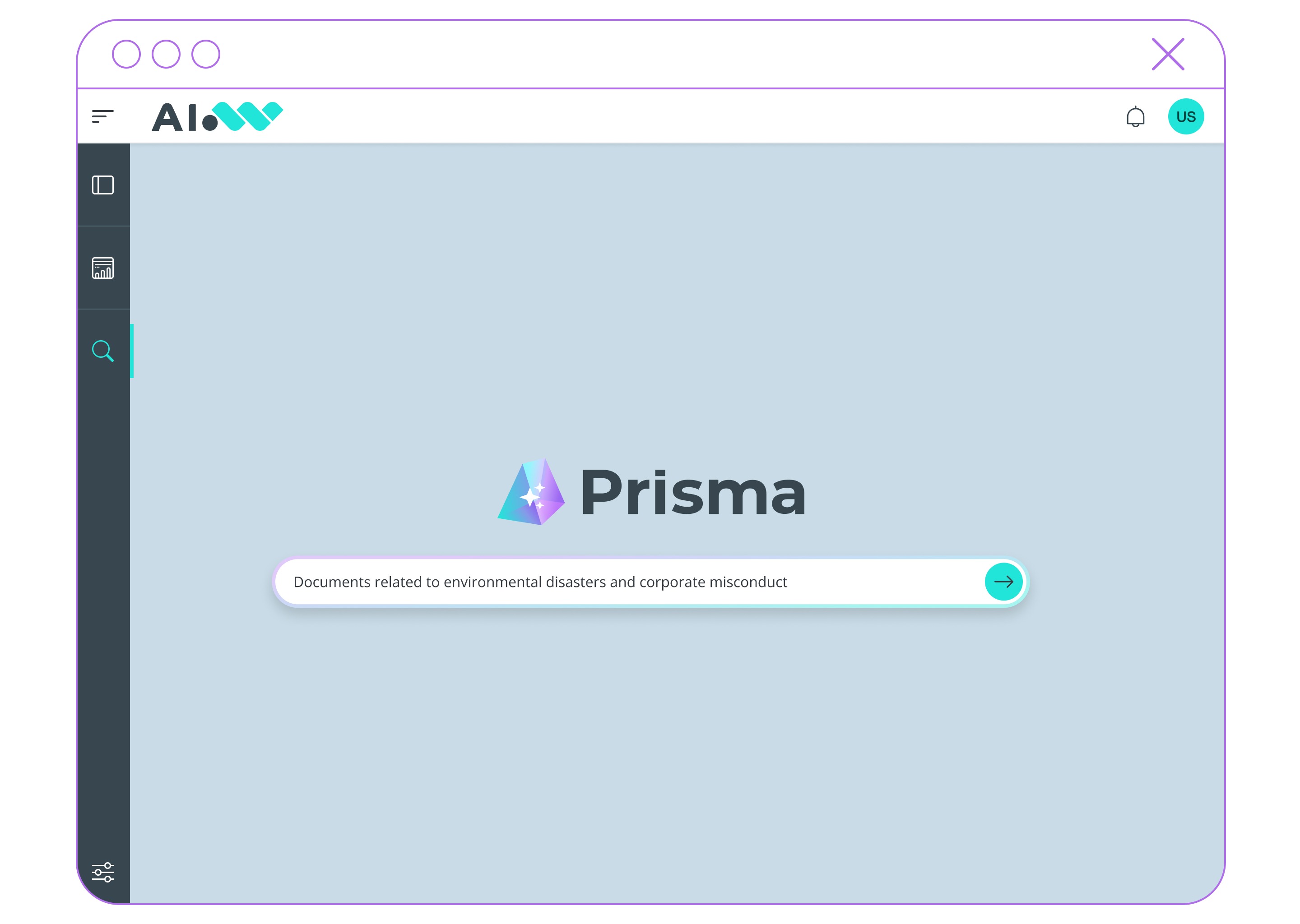
Enter a query in the search bar to get started.
Natural language can also be used, going beyond traditional keyword-based search.
2
Get answers instantly
By selecting specific results, users can start a conversational session on selected documents.
The system also recognizes when a query is phrased as a question and provides a clear, concise answer in natural language, along with links to the original sources.
3
Select result types
The top filter bar allows users to choose which types of results to display based on format (text, audio, video).
4
Filter results
Filters are automatically populated by AI models that extract metadata, cited entities, and semantic concepts (topics) directly from the result set, improving navigation.
5
Deepen search with Generative AI
By selecting specific results, users can start a conversational session focused on selected documents.
A generative assistant supports deeper analysis through features such as summarization of selected documents, and answers to specific questions about document content.
6
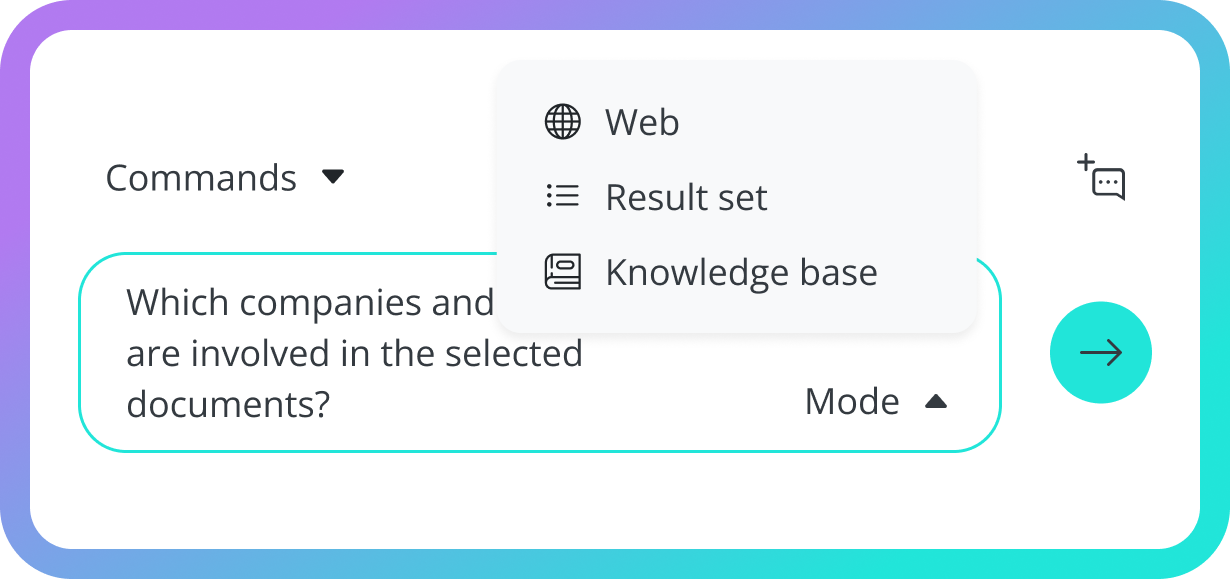
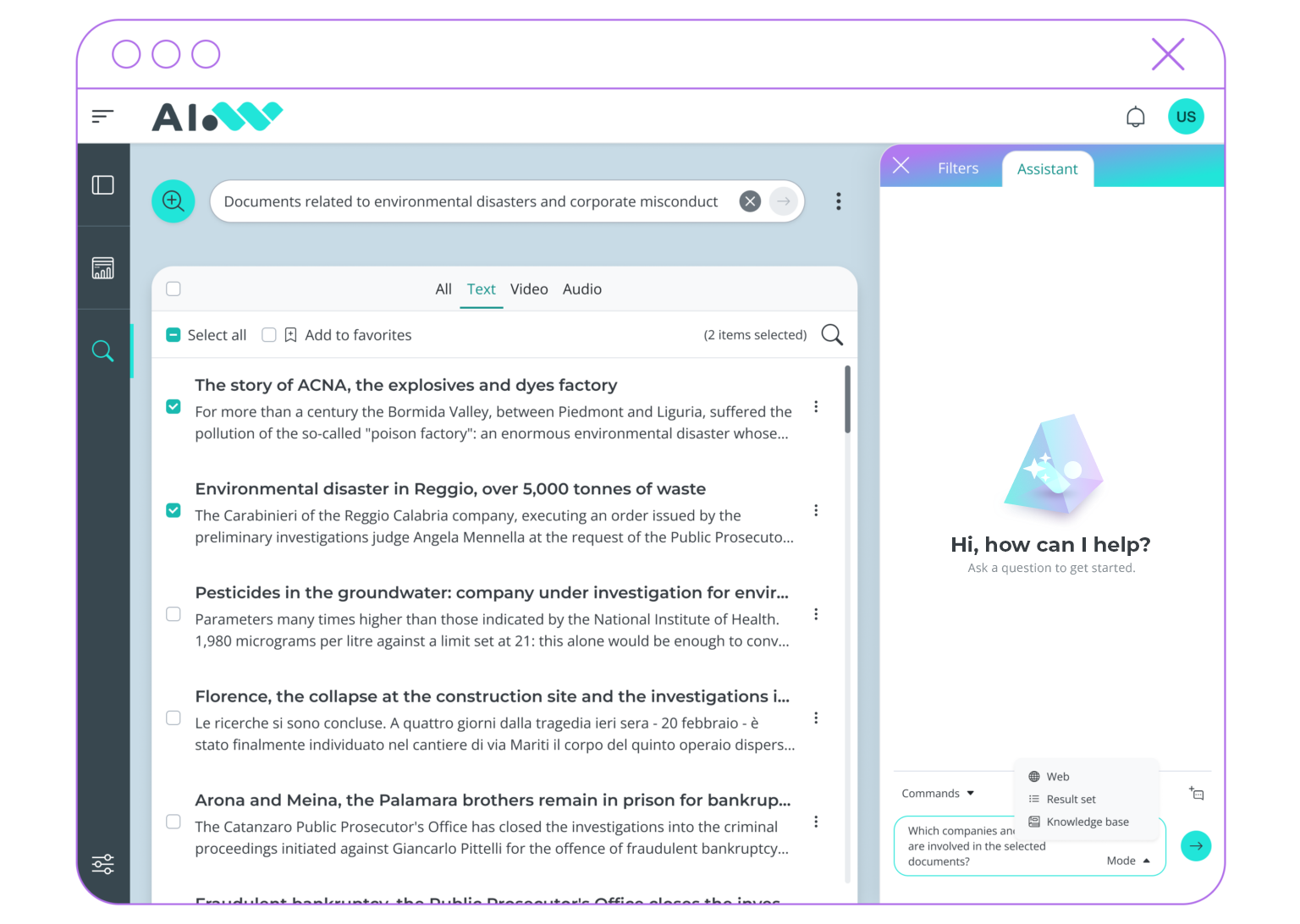
Choose among different data sources
7
Get reliable answers
The assistant responds to follow-up questions by citing the sources used and allowing them to be individually inspected.
8
Explore chat history
Saved search history allows users to revisit past queries and retrieve previously discovered information.
9
Navigate favorites
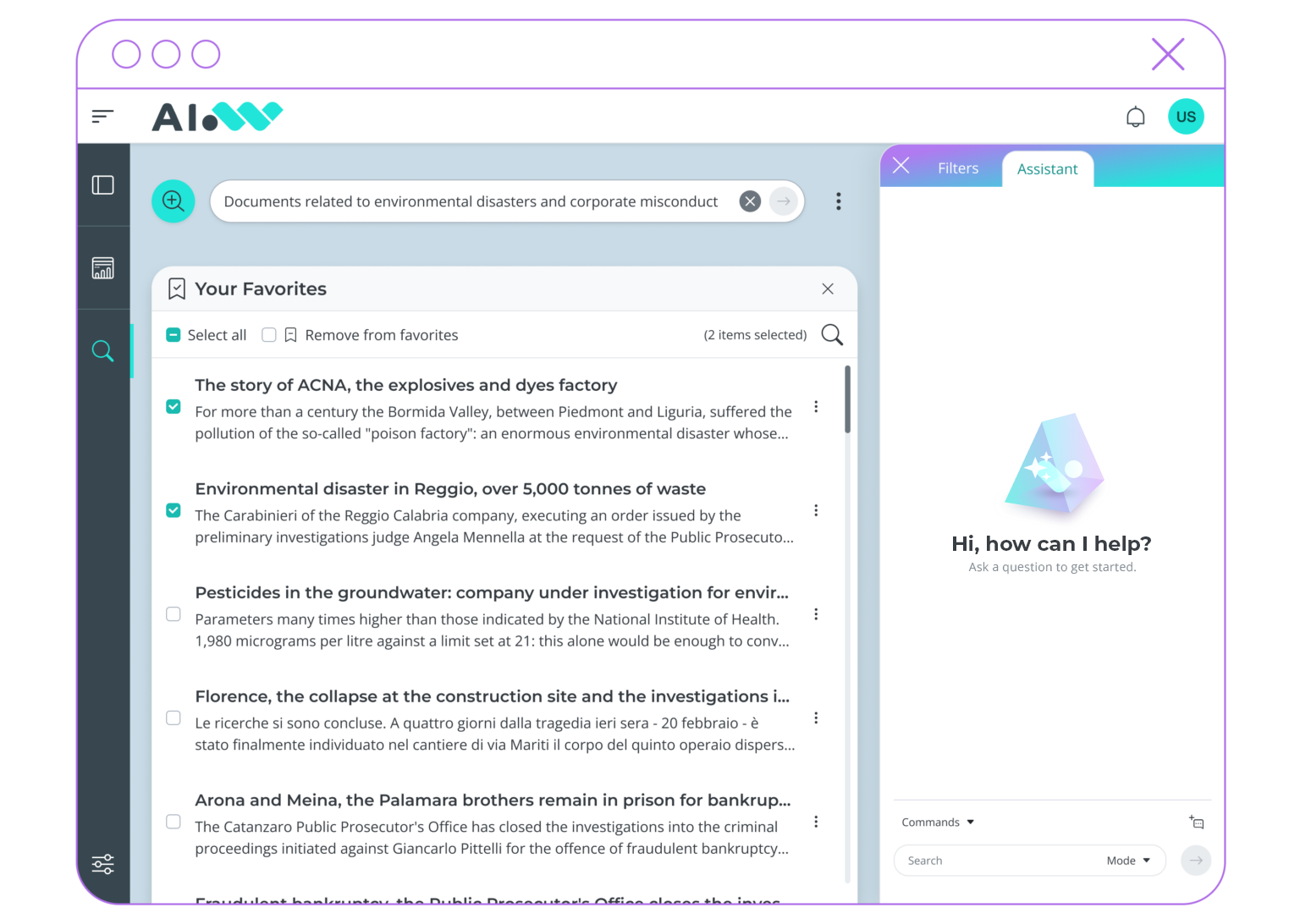
Users can save documents as favorites for quick access.
This enables immediate retrieval of frequently consulted content.
10
Access documents from a single interface
Selected documents can be explored in a dedicated interface designed for reading.
The assistant can be activated to ask questions directly on the document, enabling faster access to insights.
11
Access multimedia content sources
Audio and video documents are available within the interface, accompanied by transcripts that support content indexing.