AIWaveArdesia
Revolutionizing the way to e-learning
A flexible and reliable application designed to support teachers and students in creating and accessing educational materials in a smart and effective way. An efficient tool that integrates generative AI while ensuring the reliability of generated responses and the accuracy of the information provided.
Supporting teachers and students
The world of Education has undergone a profound technological transformation, redefining traditional teaching methodologies. Teachers and students are also increasingly using AI as support tool, but its usage often needs to be properly managed to overcome its limitations and potential risks. AIWave Ardesia is an AI powered application, tailored to the education domain, leveraging natural language understanding tools and generative AI. It is specifically designed to assist teachers in the creation of teaching materials, while students can quickly and intuitively access the knowledge delivered in class.
Features
Discover how Generative AI can disrupt both teaching and learning processes, delivering a seamless, end-to-end learning experience.
Multimodal
Sources
We unlock the value of audio, video, and text content relying on our proprietary technologies.
Native
Generative AI
High-quality human–AI interaction is enabled by high-performance generative AI models like Velvet.
Human in the Loop
Every AI-generated material is validated by teachers to deliver accurate, trusted, high-quality information.
Micro Frontend
There’s no new platform to adopt. Our services are designed to plug into existing e-learning ecosystems.
Smart Search
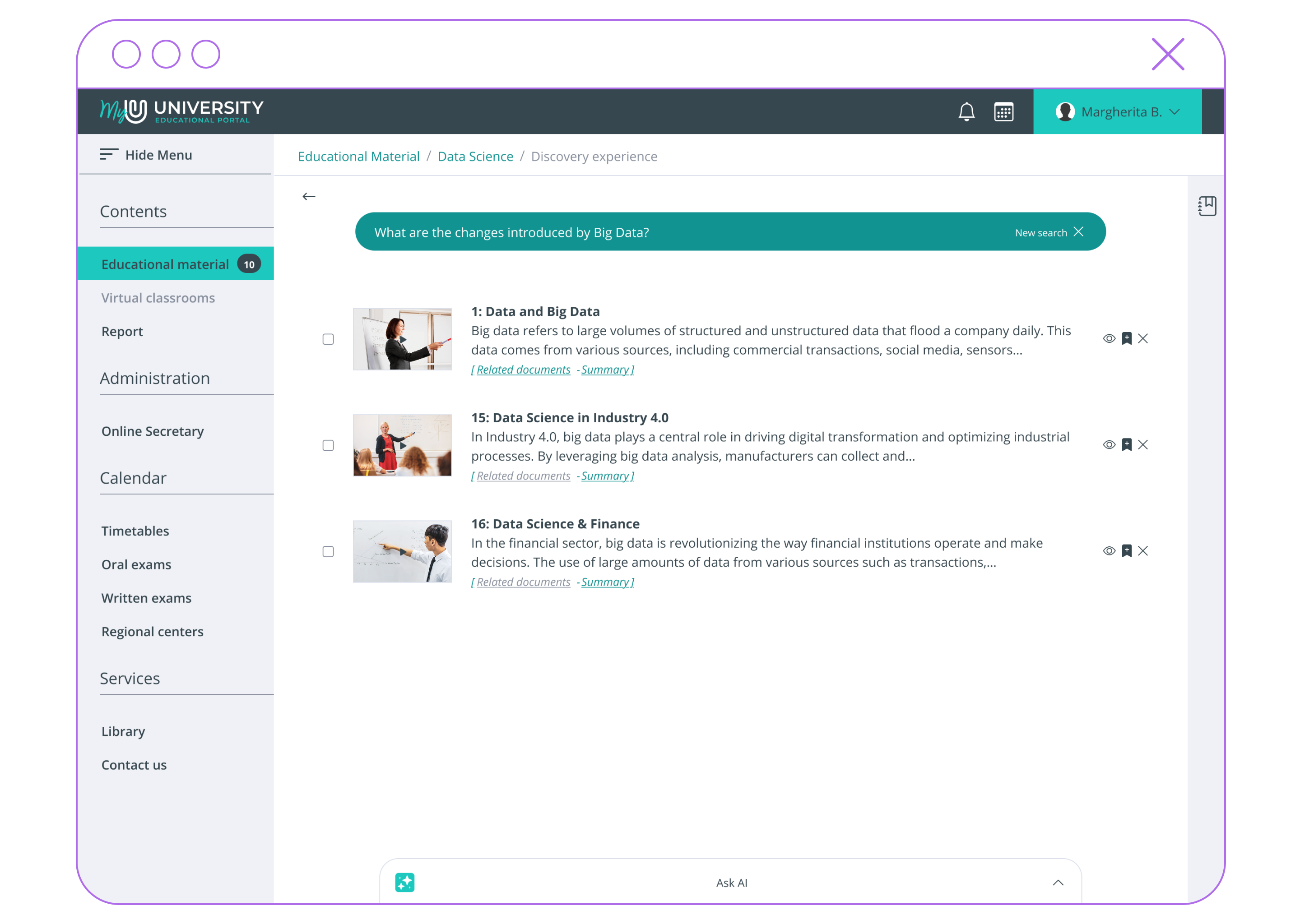
The smart search bar understands the student’s intent, determining whether the user is seeking information or submitting a task to be processed through dedicated pipelines.
Benefits
AIWave Ardesia is a versatile tool capable of effortlessly incorporating multimodal data from multiple sources, empowering users to explore contents effectively.
Everything in one platform, with no need to switch to external tools.
1
Faster creation of educational materials for teachers.
2
Instant access to the knowledge delivered in class.
3
Trusted answers, generated exclusively from teachers’ course materials.
4
Learning-focused by design: Generative AI features respond only to questions related to course content.
5
Getting Startedfor Teachers
A step-by-step guide to illustrate how you can easily create, manage, and update learning materials, powered by Generative AI.
1
Explore
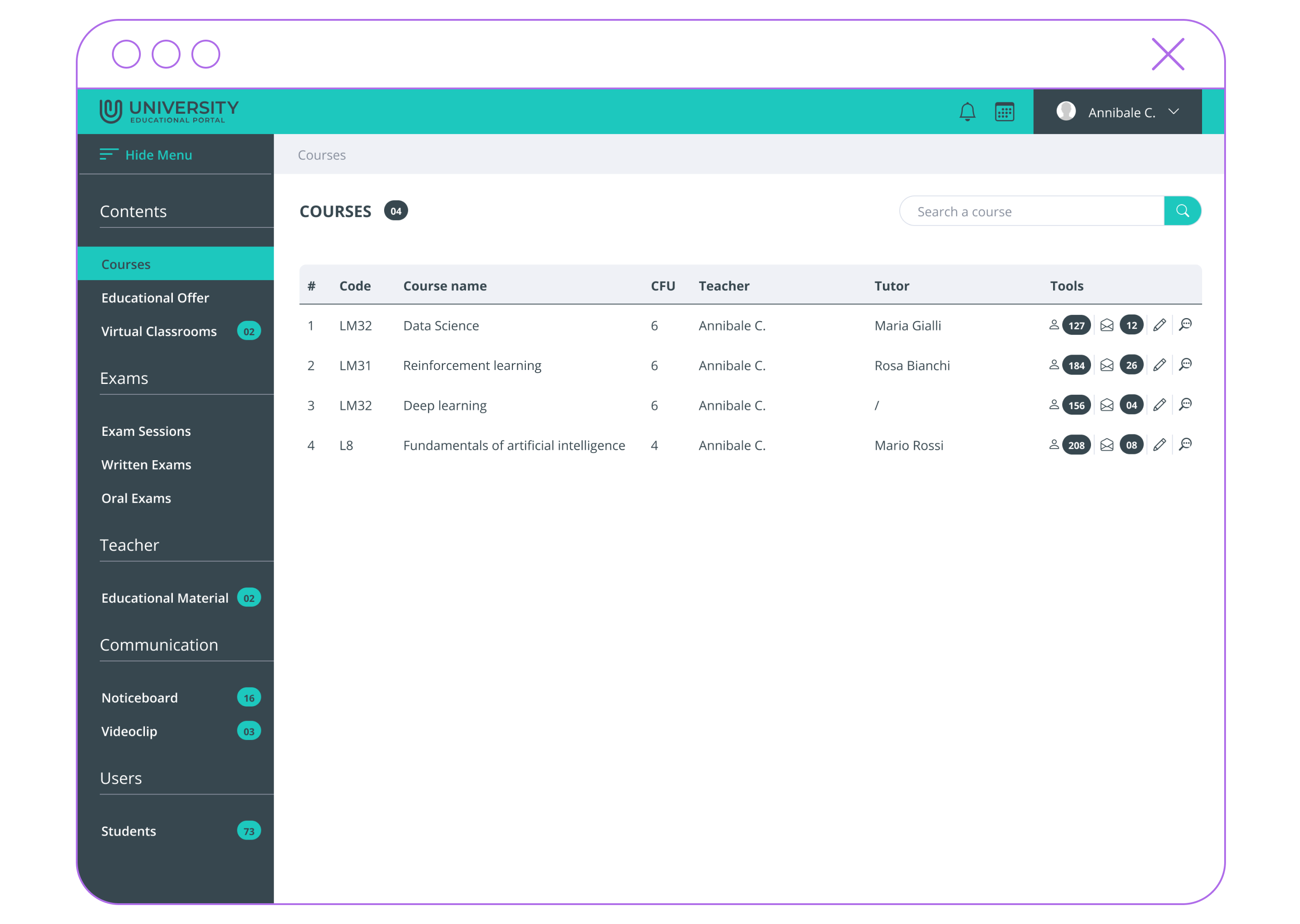
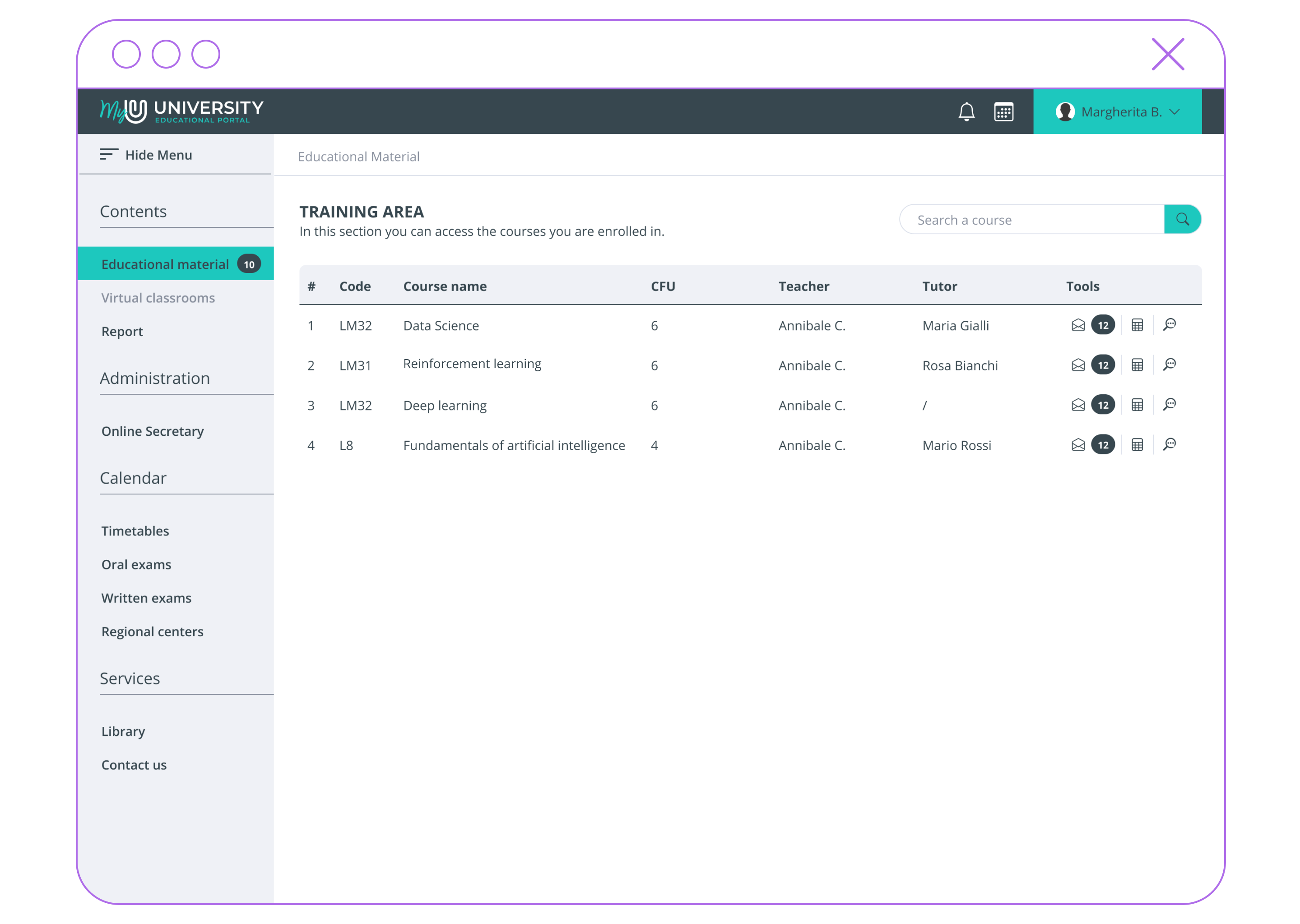
The Courses section displays a list of the modules assigned to the instructor. For each course, users can access the course monitoring page or view AI-generated summaries and tests by clicking the pencil icon, which opens the “Review” page.
2
Monitor
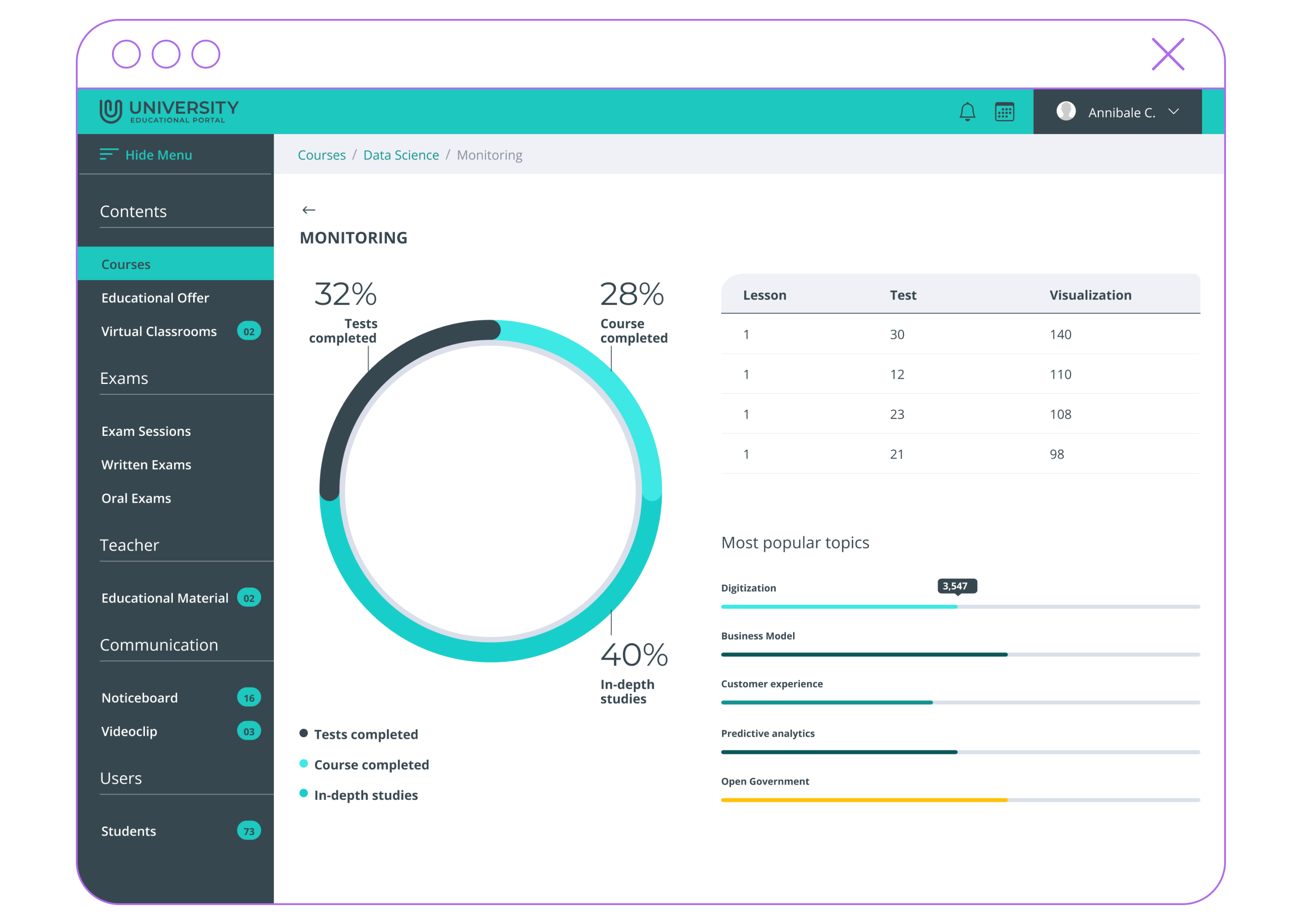
The Course Monitoring page can be accessed by clicking the magnifying glass icon. This page displays various statistics for the selected course, such as the number of self-assessment tests completed, the student course completion rate, and the percentage of deep-dive topics explored.
Additionally, it provides a detailed breakdown of the most frequently searched topics related to the course.

3
Summaries
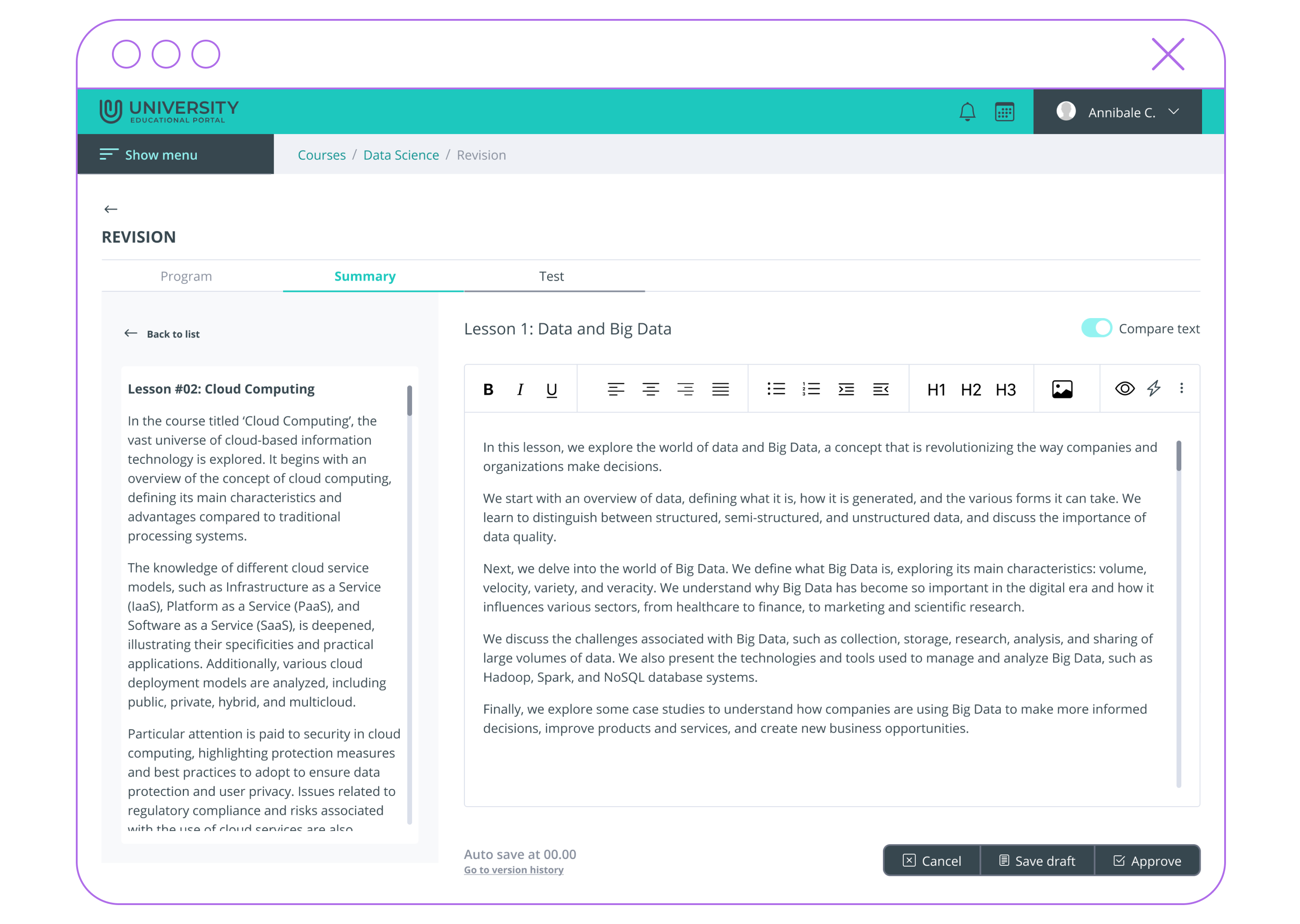
The Summaries tab on the Review page allows instructors to view, edit, and validate the automated lecture summaries generated by the AI for a specific course. Furthermore, the “Compare” mode enables users to compare multiple summaries to ensure consistent styling and formatting.
2
Assessment
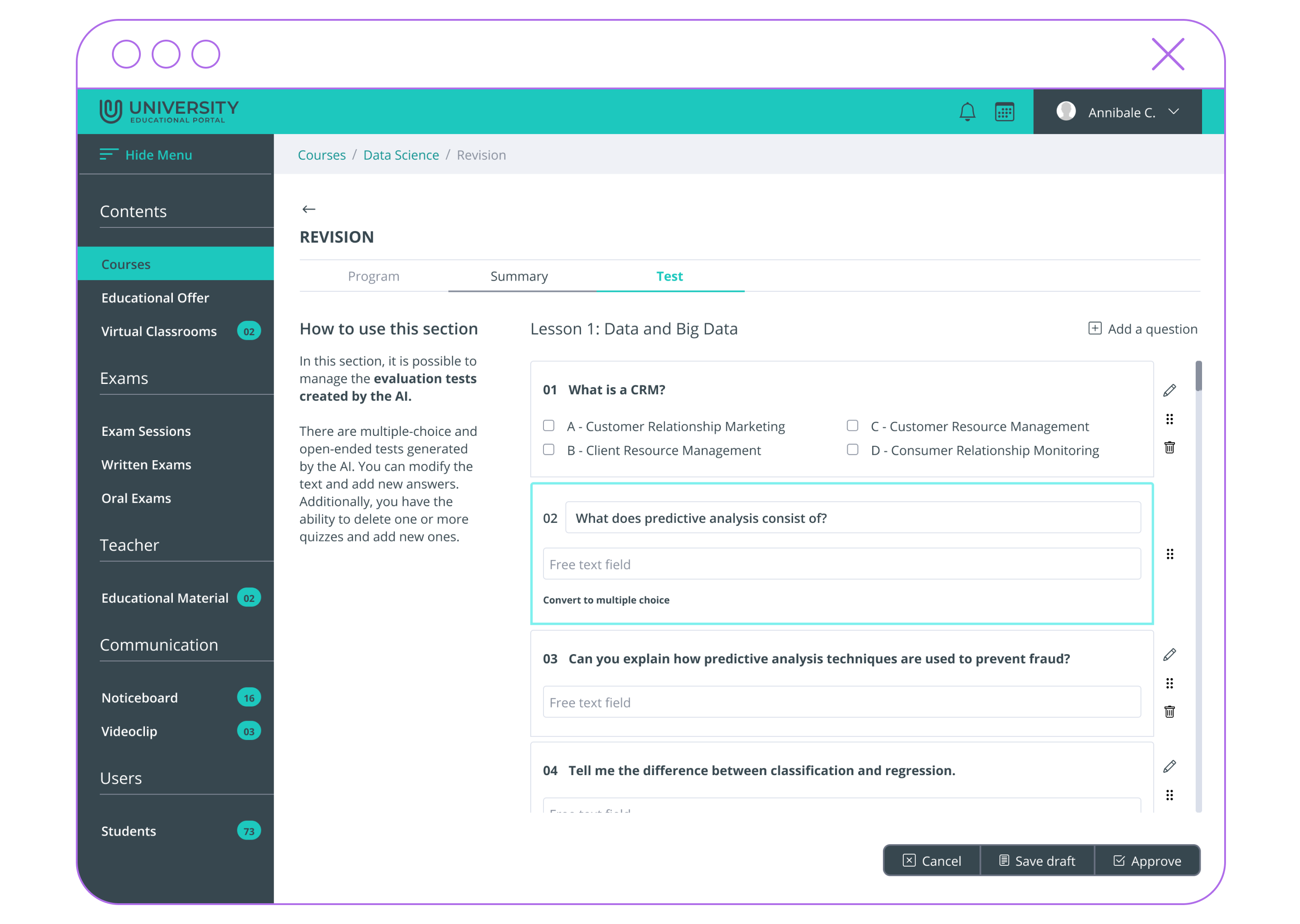
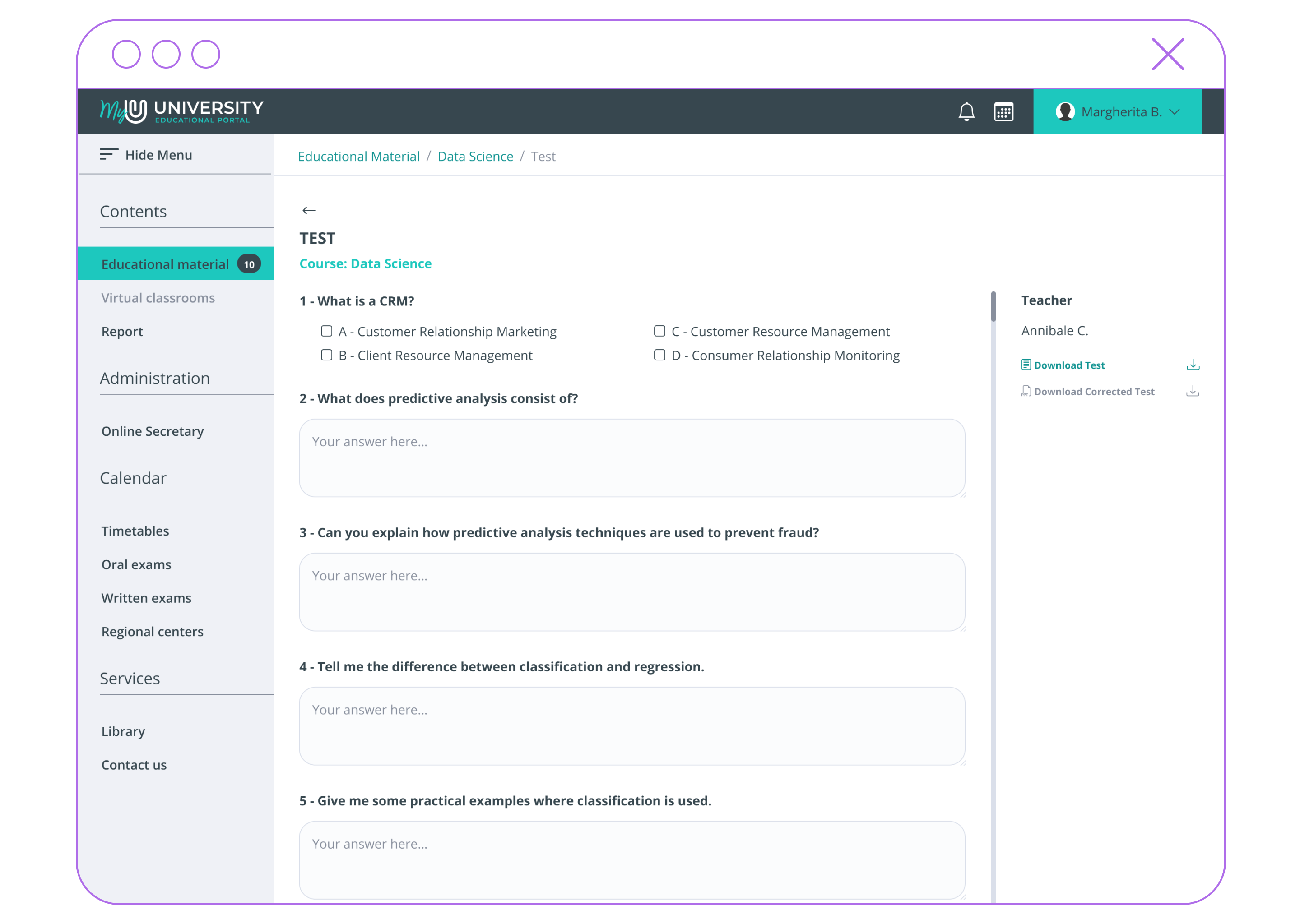
In the Tests tab of the Review page, instructors can access AI-generated self-assessment tests for each lecture within their courses, along with a proposed final self-assessment test for each course.
Instructors can review the generated tests and either validate them for publication or edit their content directly.
Getting Startedfor Students
A step-by-step guide to illustrate how you can easily access, discover, and study learning materials, powered by Generative AI.
1
Access
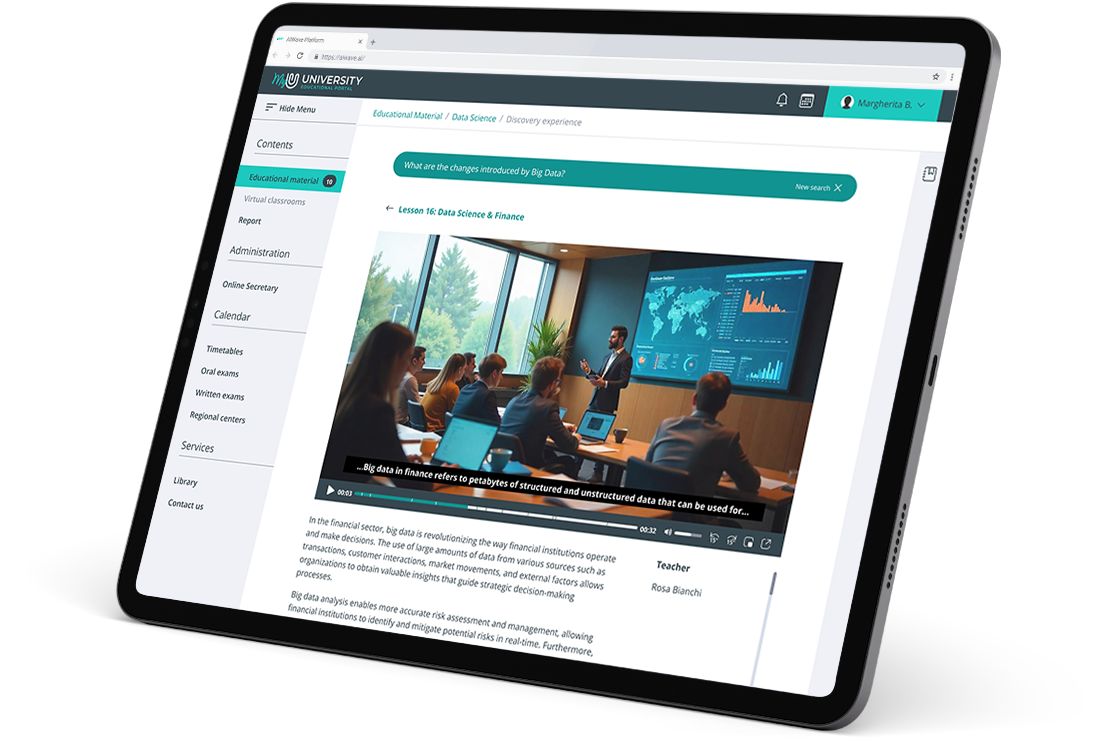
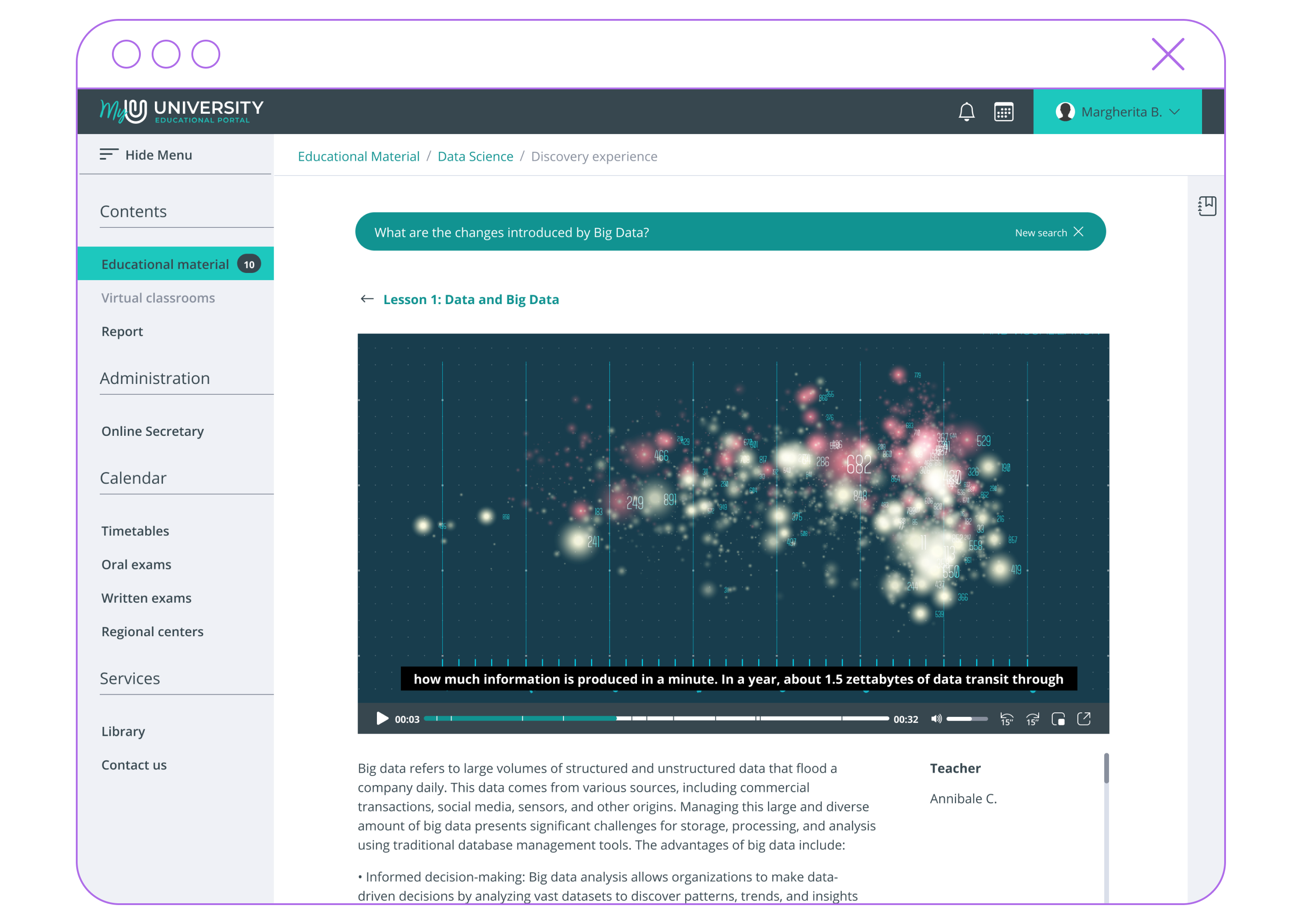
The Learning Area section displays all the courses the student is currently enrolled in or has previously attended. For each course, students can access self-assessment tests or launch the Discovery Experience mode to search for learning materials and interact with GenAI.
2
Search
Clicking the magnifying glass icon activates the Discovery Experience mode. This feature allows students to search for learning materials that best match their queries, utilizing semantic similarity metrics.
The system will only process and retrieve materials relevant to the student’s selected course.
3
Explore
The output of the semantic search is a subset of the learning materials, filtered by semantic proximity to the student’s query. The result set includes the specific lectures where the query is answered.
4
Summaries
For each result, students can view the summary, the lecture content, and associated documents. They can also save one or more items as favorites or remove them from the result set.
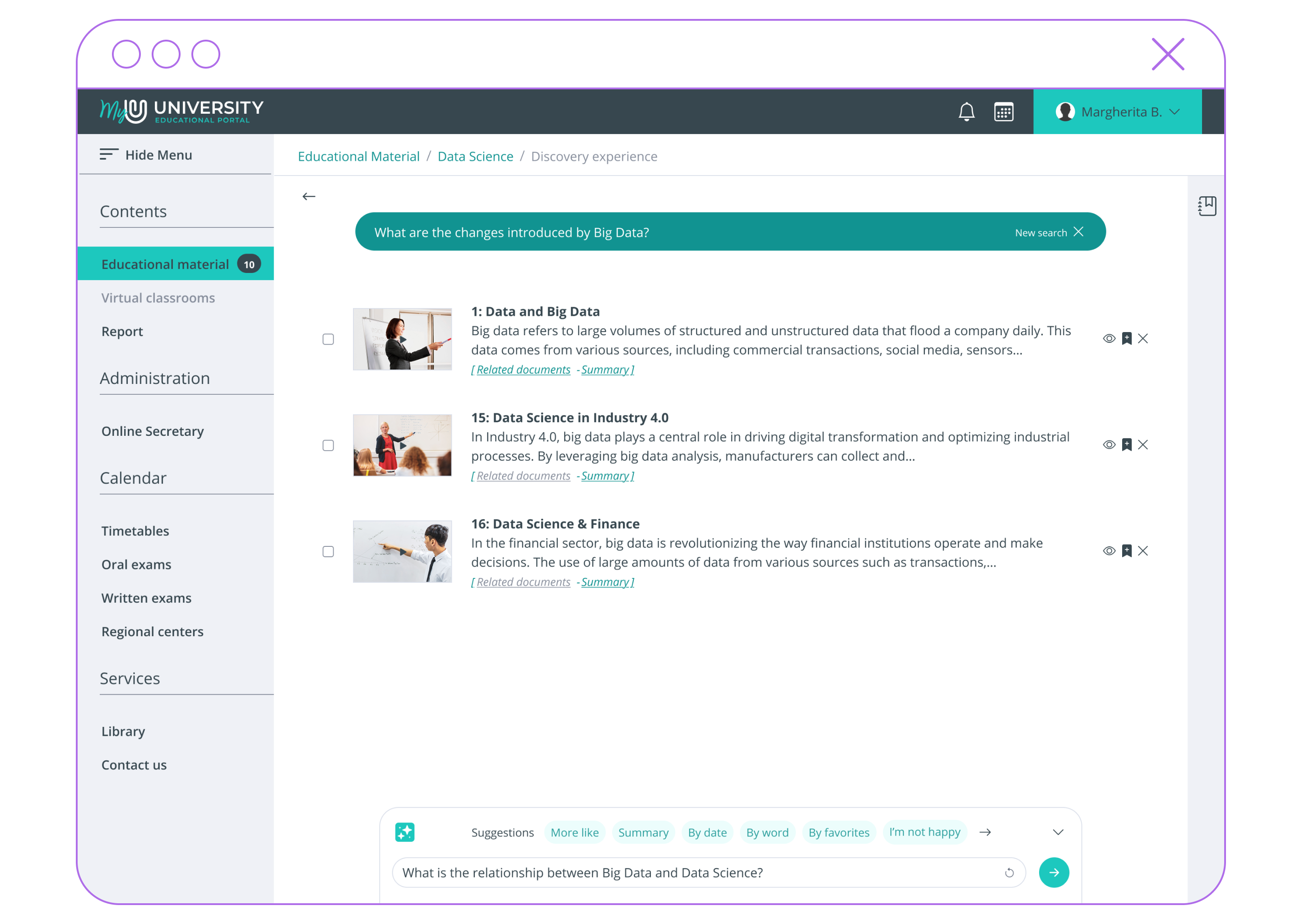
The bottom section of the screen is dedicated to direct interaction with Generative Artificial Intelligence.
5
Delve Deeper
Expanding the GenAI search bar allows users to submit queries to the underlying LLM (Large Language Model). Questions can be focused on the entire result set, a specific subset of it, or used to request deep-dives independently of the semantic search results.
6
Quick Answers
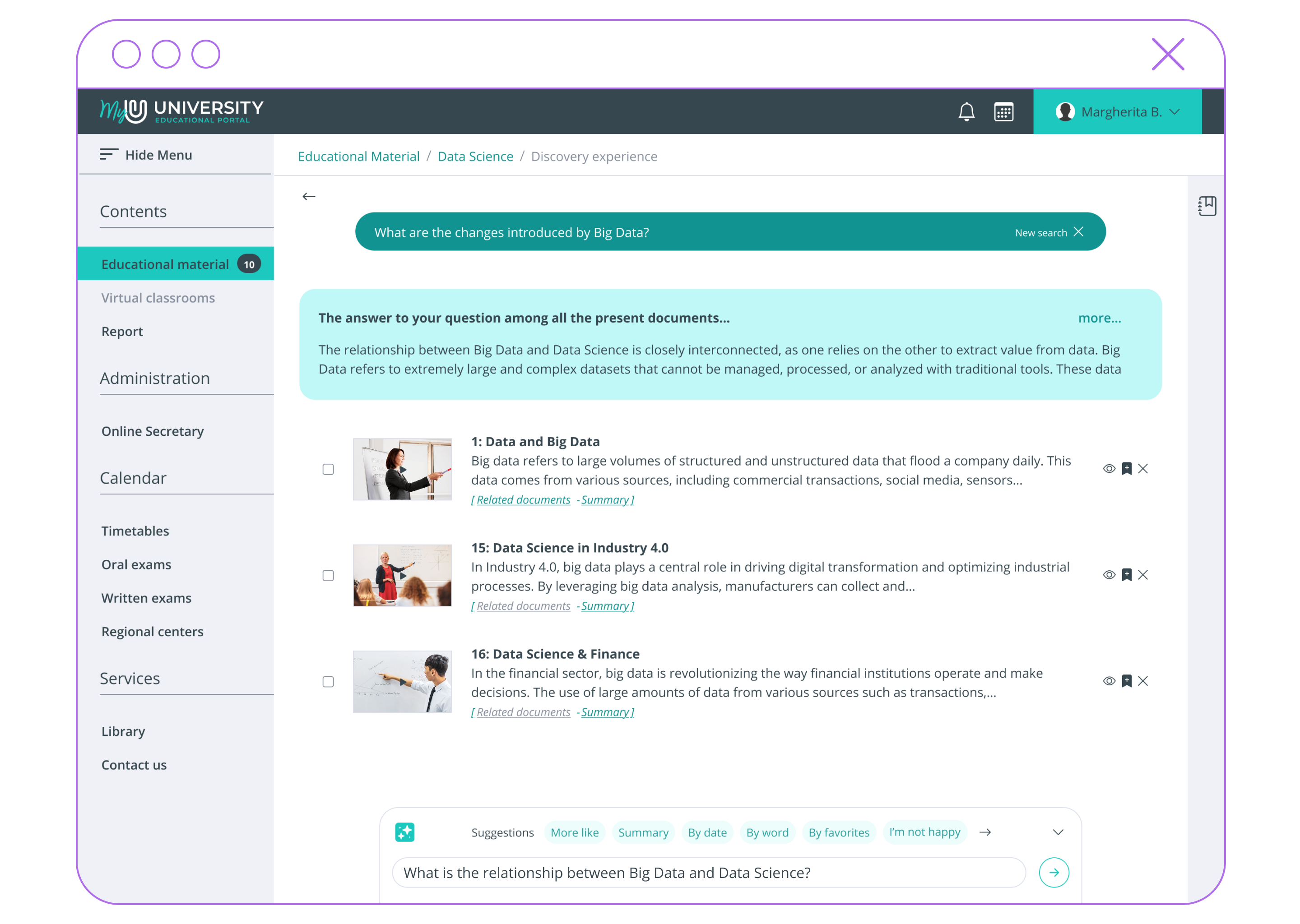
The generated response is displayed in the panel above the result set. If the response is lengthy, users can click “more…” to view the full text.
The generative bar provides several useful shortcuts, enabling users to quickly generate a summary of the result set (or a portion of it) or search for additional similar content.
7
Lecture Summarization
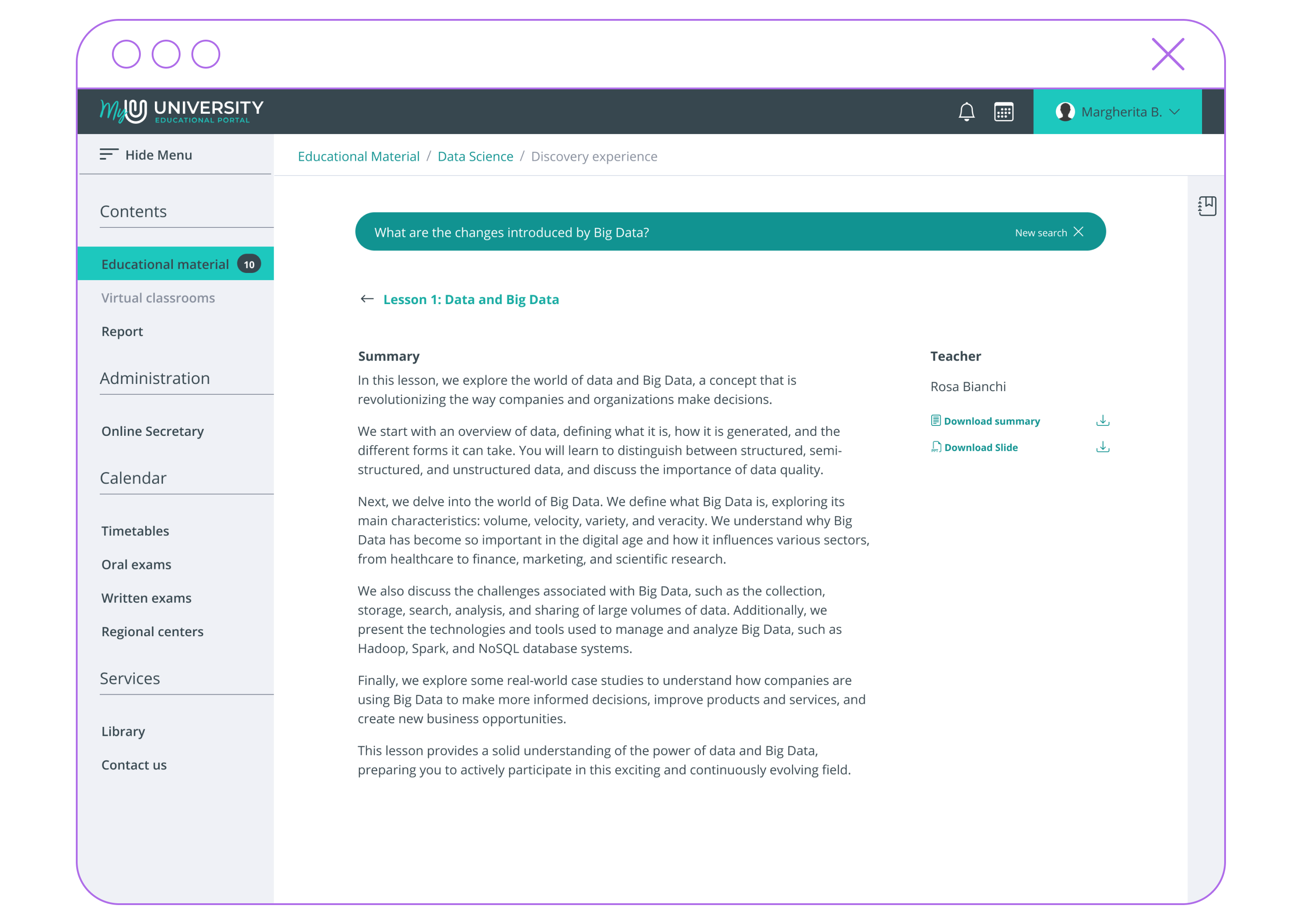
For result set items that refer to a specific lecture, users can view the summary automatically generated by the AI and validated by the course instructor. Additionally, they can download either the summary text or the lecture slides.
8
Audio Transcriptions
In addition to viewing the lecture summary, users can access the full lecture content, which is available in both video and text formats.
9
Self Assessment
For each course, students can access AI-generated self-assessment tests validated by the instructor. Each test can be downloaded to enable offline access.